Free Truck Transition Video Effect
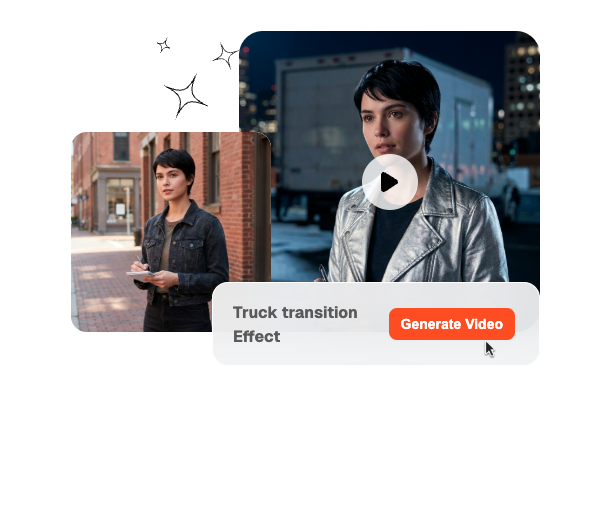
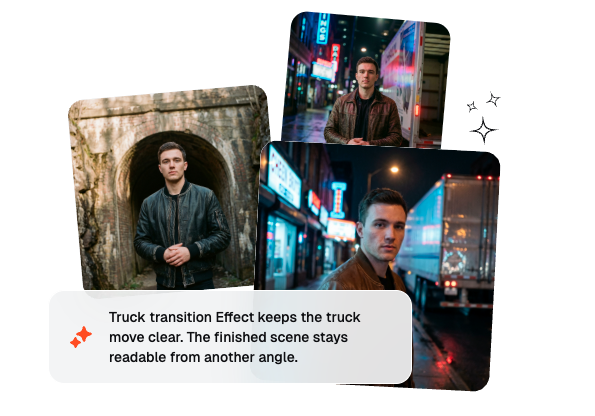
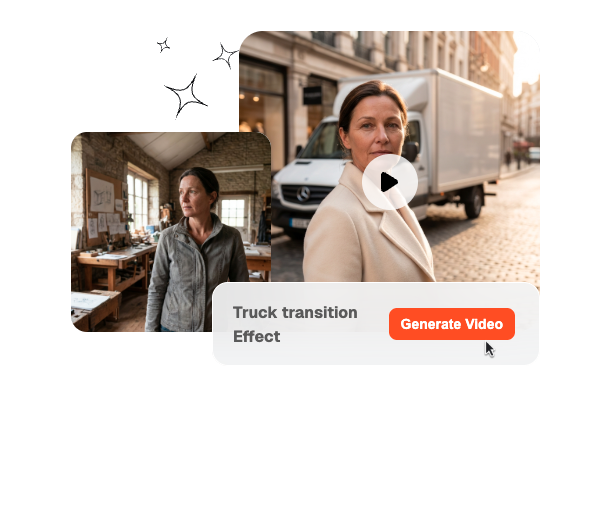
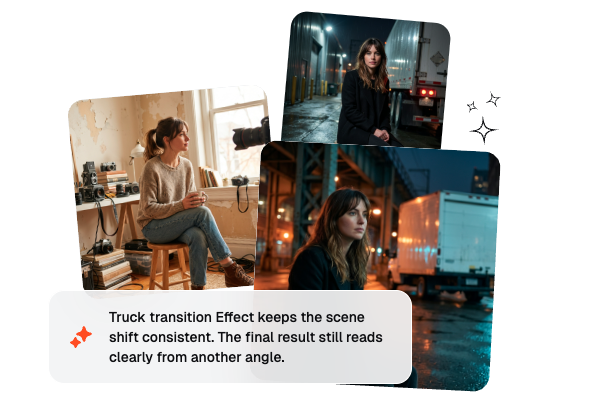
Use a Truck Transition Effect to move from one scene to another as a truck speeds across the screen. Just upload your clips and the motion automatically wipes the frame to reveal the next shot.
Create a Truck Transition Effect That Feels Fast and Cinematic
Build a Truck transition Effect from two frames, one prompt, and simple output controls. Veme turns that setup into sharp AI video motion with a hard wipe, clear direction, and consistent scene energy.
Who Benefits Most From This Truck Transition Effect
This page fits creators who want fast, visible motion between scenes without building every wipe by hand. That makes the Truck transition Effect easier to adopt across very different teams.

Creators can turn a simple scene change into a hard visual hook that feels native to fast social formats. They keep the speed of a prompt first workflow while getting a Truck transition Effect that looks more produced than a basic cut.


Editors can test multiple motion directions, blur levels, and landing moods without rebuilding the sequence in a timeline each time. That helps them deliver faster client rounds while keeping the same character of Truck transition Motion across versions.

Teams can produce launch edits, promo clips, and ad variations with a repeatable system instead of one-off experiments. The result is a more consistent Truck transition Video style across campaigns, formats, and creators.
How To Generate a Truck Transition Effect
The process is structured enough for repeatability and simple enough for speed. A better Truck transition Effect usually starts with clearer intent at this stage.
Step 1
Set the Frames
Upload a beginning frame and an ending frame when you want the Truck transition Effect to land on a precise visual destination. If you only need a concept pass, you can keep the setup lighter and let the prompt do more work.
Step 2
Describe the Motion
Write the direction, speed, blur style, and camera feel you want the truck pass to create. This is where you shape the personality of the Truck transition Motion instead of relying on a generic preset.
Step 3
Settings and Generate
Pick the model, duration, and quality level that match your publishing goal. Veme returns an AI video clip that is easier to preview, compare, and drop into a real edit.
Build Better Truck Transition Effect Videos
Each feature focuses on control, speed, or consistency instead of visual noise. Together they make the Truck transition Effect easier to direct and easier to reuse in production.

Flexible Frames Control
You can upload a start frame, an end frame, or both depending on how tightly you want to guide the motion. That makes the Truck transition Effect useful for both rough concepting and more exact client work. It also helps the system land on a destination shot that feels intentional instead of approximate.

Prompt Based Truck Motion Direction
The motion is not locked to one canned wipe because you can describe truck speed, crossing angle, blur strength, and cinematic tone in plain language. That gives creators a more direct way to shape the visual behavior of the Trucksition Effect. It is especially helpful when a scene needs a specific mix of aggression, polish, and readable timing.

Model and Quality Settings
You can switch generation models and pair them with the duration and clarity that make sense for the final edit. That gives the Truck transition Video workflow room to serve previews, paid ads, and polished campaign cuts without forcing one output quality. Teams also get a cleaner way to standardize results across multiple creators and rounds.

Faster Creator Workflows
Veme is built for quick testing, so you can compare different motion passes without turning every idea into a slow post-production task. That speed matters when a creator wants to refine a Truck transition Effect before publishing or sending options to a client. The result is a more consistent workflow with less waiting between concept and usable clip.
Truck Transition Effect FAQ
What is a Truck transition Effect in AI video editing?
A Truck transition Effect is a wipe driven by the feeling of a truck crossing the frame at speed, so the scene change feels harder, faster, and more cinematic than a basic dissolve. It works best when the start frame and landing frame have a clear directional relationship.
Can I generate a Truck transition Video with only a prompt?
Yes, a clear prompt can define truck speed, wipe direction, blur behavior, and overall scene energy before you commit to exact frames. If you need more precision, add one or two reference frames so the landing shot stays closer to your intended result.
Is there a free option or free-style version for testing?
Many users search terms like Free Truck transition Effect or Free Truck transition Video because they want to test the idea quickly before building a heavier workflow. Veme is designed to shorten that evaluation loop by making setup fast and making the visual result easier to judge.
What is the difference between a truck pass and a blur art style edit?
A truck pass focuses on directional crossing motion and the feeling of a vehicle wiping the frame, while a Trucksition Blur Motion or Trucksition Blur Art style pushes the same move toward stronger streaks and a more stylized speed effect. The right choice depends on whether you want realism first or spectacle first.
How do I get the best results for client or campaign work?
Start by defining what the transition needs to do in the final edit, then write the prompt around that use case and support it with stronger frame choices. Testing two or three motion strengths is usually the fastest way to find the Best Trucksition video effect for a real campaign.
Start Building Your Truck Transition Effect With Veme
Turn fast motion ideas into polished AI video clips with a workflow built for speed, control, repeatable output, and a cleaner Truck transition Effect finish.